
Managing Pipelines in FUB
Understanding Deal Pipelines
A deal is the file connected to a client’s contact card in our system.
Think of it this way:
-
Each home purchase or sale = one deal
-
A client has one contact record, but can have multiple deals over time (for example, if they buy and later sell, or purchase multiple properties).
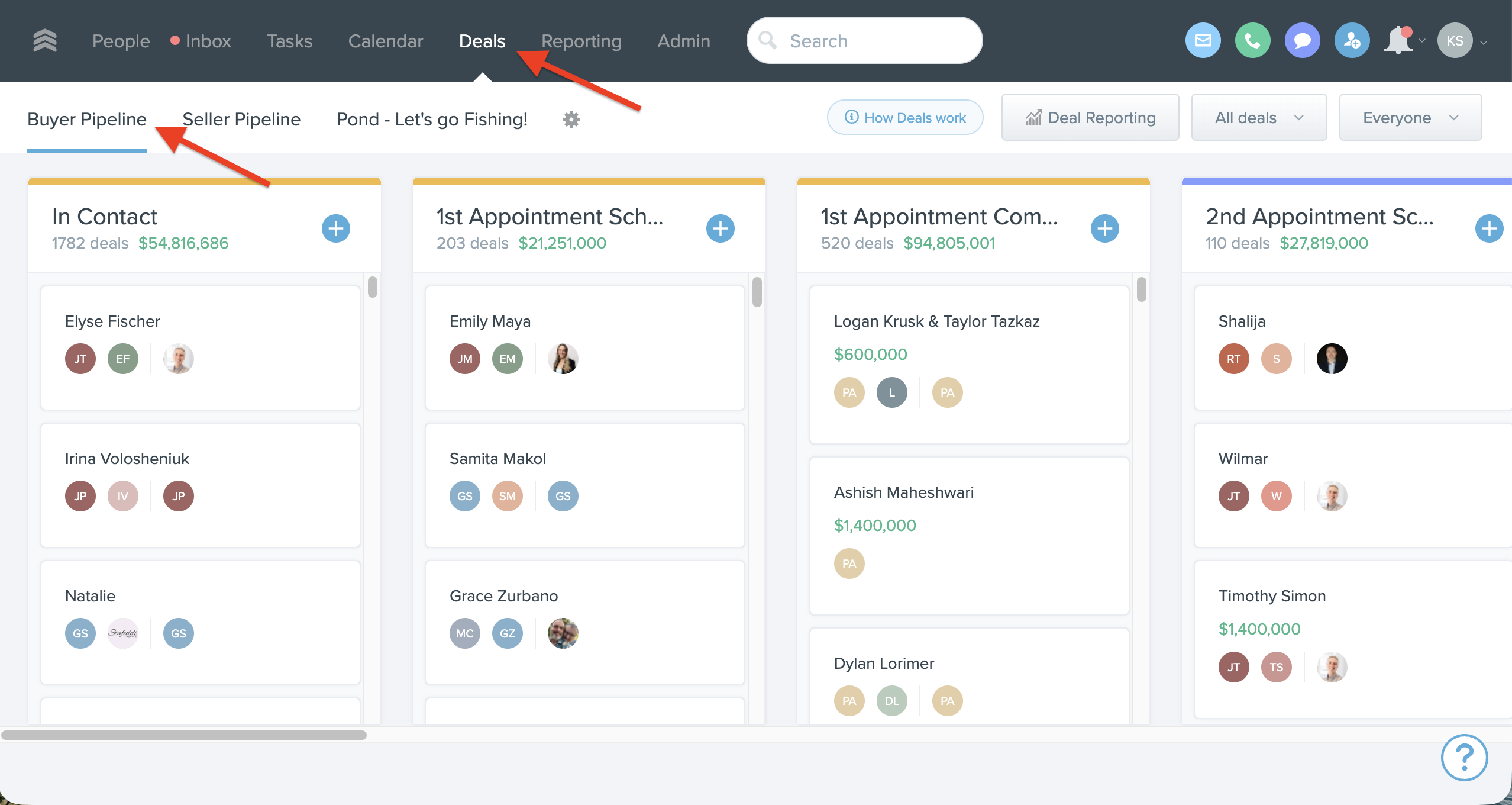
We have multiple deal pipelines. What are those?
-
Buyer Pipeline $$$
-
Seller Pipeline $$$
Let’s break it down…
Understanding Buyer Pipelines
Buyer Pipeline Overview
Any new lead that comes into the system will typically start in the In Contact stage (unless classified otherwise).
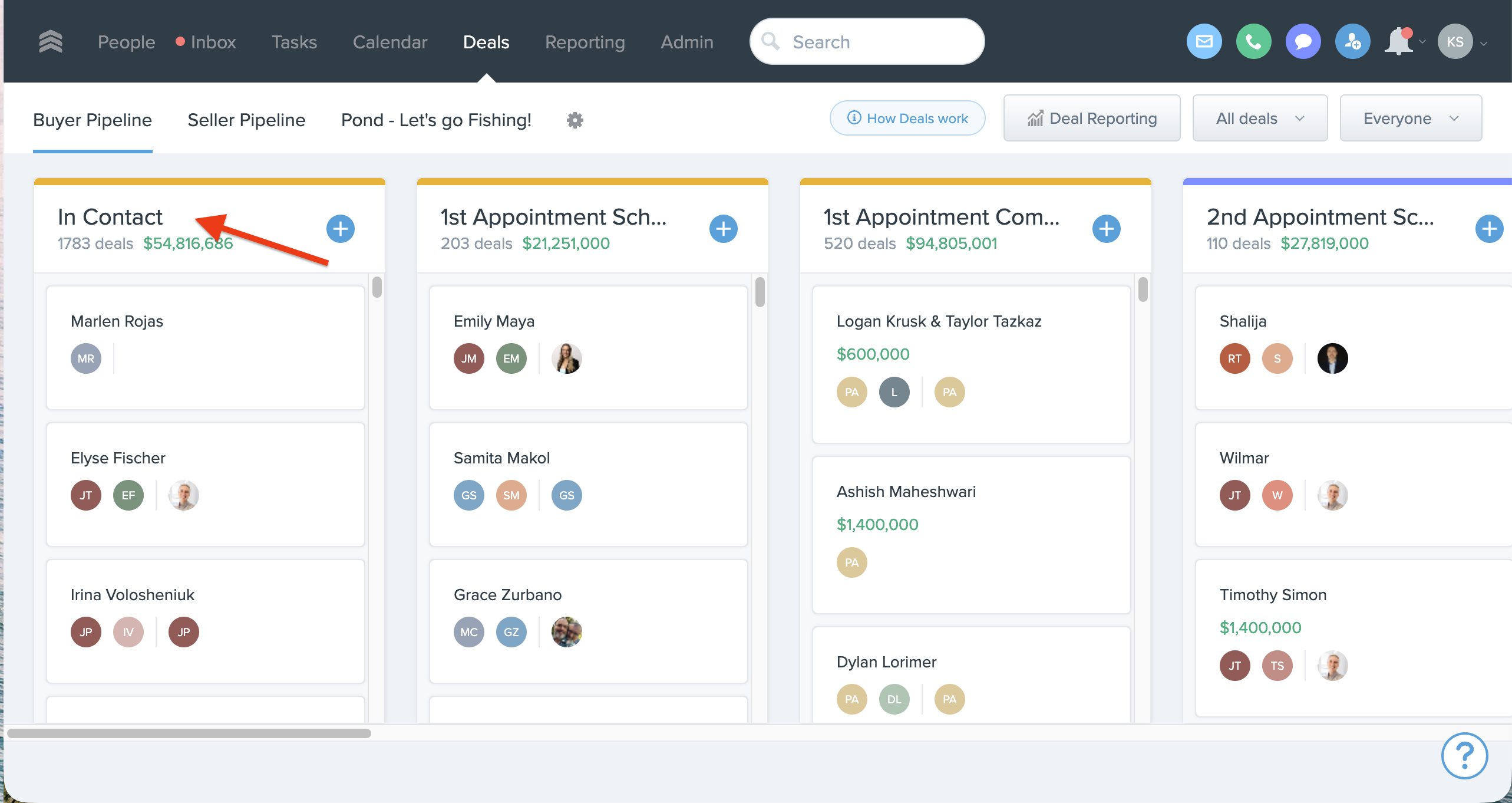
From there, each stage represents progress down the pipeline:
-
In Contact
-
1st Appointment Scheduled
-
1st Appointment Complete
-
2nd Appointment Complete
-
Touring Homes (3+ Appointments Complete)
-
Submitting Offers
-
Nurture – Keep In Pipeline
-
Under Contract
-
Closed
-
Lost – Pond
-
Referred Out
You want to keep your pipeline accurate by always having your deals in the correct stage.
Example: If you’ve completed a first appointment, move the deal to 1st Appointment Complete. Don’t leave it in In Contact.
Why keeping stages accurate matters
Keeping your stages up to date:
-
Shows you clearly how deals are progressing.
-
Helps your admin and support team see where you’re succeeding and where you might be stuck.
-
Allows us to support you better with coaching, systems, and resources.
-
Keeps your performance metrics up to date.
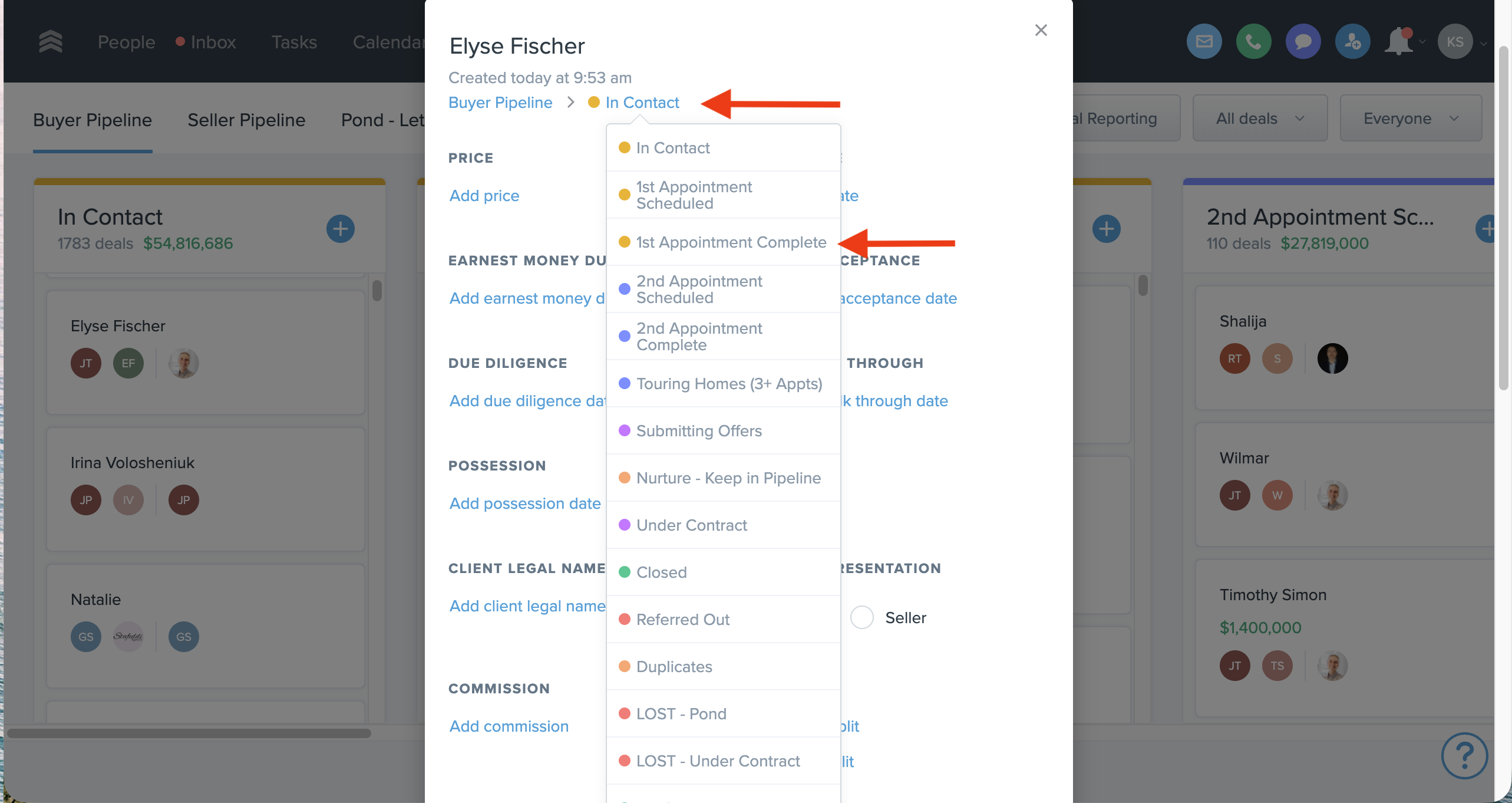
How do I move a deal?
-
Click on the deal to open it.
-
Click on the Stage field – a dropdown will appear.
-
Select the next appropriate stage.
-
Click Done to update the deal
What if an appointment is scheduled, but they cancel or no-show?
If you scheduled an appointment, you’ve already hit the milestone of 1st Appointment Scheduled – nice work!
-
Move the deal to 1st Appointment Scheduled once the appointment is on the books.
-
If they cancel or don’t show, you do NOT move the deal backwards.
-
It stays in that stage until it progresses forward (for example, to 1st Appointment Complete if you successfully meet later).
Once you’ve accomplished a stage, it stays there. You only move forward, not backward.
Can I skip stages? (Example: 2nd Appointment Complete → Submitting Offers)
Yes, you can.
If you go from 2nd Appointment Complete straight to Submitting Offers, that’s perfectly fine – and awesome! The stages are meant to reflect reality, not slow you down.
Touring Homes (3+ Appointments)
Think of appointments as different days, not the number of homes per day. For example:
-
1st Appointment – First showing day, toured 1 property
-
2nd Appointment – Second showing day, toured 3 properties
-
3rd Appointment – Buyer consultation
Once you’ve had 3+ appointments with a client and are actively showing, they belong in Touring Homes (3+ Appointments Complete).
We track up through 3+ appointments to:
-
Confirm that the relationship is progressing
-
Highlight deals that are active but haven’t reached Submitting Offers yet
If you’ve hit 3+ appointments but haven’t submitted any offers, the deal stays in Touring Homes until it progresses.
I submitted an offer, but it wasn’t accepted. What stage?
You should keep the deal in Submitting Offers.
Submitting an offer is a major milestone in the process – celebrate that progress. The deal stays in Submitting Offers until you get an offer accepted.
My offer got accepted. Now what?
Congrats!
-
Move the deal to Under Contract.
-
Forward the mutual acceptance to files@designWArealty.com.
-
Our Transaction Management team will set up and manage the deal in the Under Contract stage from there.
-
We’ll go deeper into this process in the next section.
-
Nurture vs. Pond
Nurture
-
Long-term leads who are likely to buy or sell with you eventually, but are paused for now (timing, life events, saving more, etc.).
-
They stay in your pipeline and should have ongoing, thoughtful follow-up.
Pond = Released Leads
-
Leads you’ve done due diligence with but:
-
Are not engaging
-
Have clearly chosen another agent
-
Are not a fit right now
-
-
These get moved to Lost-Pond so others can work them in the future.